
Screen recording software has become an essential tool for creators, educators, gamers, business professionals, and developers who need to capture high-quality video directly from their screens. Whether the goal is producing tutorials, livestreaming gameplay, recording webinars, or creating professional presentations, powerful screen recording apps like OBS Studio offer flexibility and advanced capabilities. With the growing demand for polished video content, choosing the right software can significantly impact production quality and workflow efficiency.
TLDR: Screen recording apps like OBS Studio allow users to capture high-quality video for tutorials, streaming, business presentations, and more. These tools offer features such as customizable recording settings, scene transitions, audio mixing, and live streaming integrations. Popular alternatives include Camtasia, Bandicam, and ShareX, each with unique strengths. Selecting the right app depends on technical needs, budget, and editing requirements.
Why High-Quality Screen Recording Matters
High-quality screen captures are crucial for maintaining professionalism and audience engagement. Viewers expect clear visuals, sharp resolution, and balanced audio. Poor recording quality—such as low resolution, frame drops, or distorted sound—can undermine even the most informative content.
Professionals rely on screen recording apps for:
- Online courses and educational tutorials
- Gaming streams and highlight videos
- Software demonstrations and product walkthroughs
- Corporate training sessions
- Remote collaboration and troubleshooting documentation
Powerful tools provide advanced encoding options, customizable frame rates, scene composition, and multi-source recording to deliver broadcast-level output.
OBS Studio: The Industry Standard
OBS Studio (Open Broadcaster Software) is one of the most widely used open-source screen recording and live streaming applications available today. It is favored for its flexibility, robust settings, and zero-cost availability.
Key Features of OBS Studio
- Custom Scene Composition: Combine screen capture, webcam, images, and overlays.
- High-Quality Encoding: Supports hardware and software encoding options.
- Unlimited Sources: Add multiple audio and video inputs.
- Live Streaming Integration: Compatible with major platforms.
- Cross-Platform Support: Works on Windows, macOS, and Linux.
Its modular interface allows users to create scene collections and switch between them seamlessly during recording or streaming. However, beginners may find its wide range of settings slightly overwhelming at first.
Top Alternatives to OBS Studio
While OBS Studio is powerful, it is not the only solution available. Several alternatives offer varying levels of simplicity and built-in editing features.
1. Camtasia
Camtasia is known for its user-friendly interface and integrated video editing tools. It is ideal for educators and business users who want recording and editing in one application.
- Drag-and-drop editing timeline
- Built-in motion graphics
- Ready-made templates
- Export presets for multiple platforms
2. Bandicam
Bandicam specializes in high-performance recording, especially for games and high-resolution video capture.
- High frame rate recording
- Lightweight performance impact
- Device recording support
3. ShareX
ShareX is a lightweight, open-source alternative that focuses on quick screen capture and sharing functionality.
- Customizable workflows
- Screen capture automation
- Built-in annotation tools
Comparison Chart of Screen Recording Apps
| Feature | OBS Studio | Camtasia | Bandicam | ShareX |
|---|---|---|---|---|
| Cost | Free | Paid | Freemium | Free |
| Built-in Editing | Limited | Advanced | Basic | Minimal |
| Live Streaming | Yes | No | No | No |
| Customization | Extensive | Moderate | Moderate | High |
| Ease of Use | Intermediate | Beginner-Friendly | Beginner to Intermediate | Intermediate |
Important Features to Look For
When selecting a screen recording application, users should consider several core features to ensure high-quality output.
1. Resolution and Frame Rate Control
The ability to record in 1080p or 4K with customizable frame rates ensures smoother playback and sharper visuals.
2. Audio Mixing Capabilities
Advanced apps allow users to adjust microphone and desktop audio independently. Clear audio is as important as crisp video.
3. Scene and Source Management
Layering video feeds, screen regions, browser windows, and graphics enables creators to build dynamic content.
4. Encoding Options
Hardware acceleration (using GPU encoding) can significantly reduce CPU strain and improve recording performance.
5. Editing and Post-Production Tools
Some tools incorporate trimming, annotations, and transitions directly within the software, saving time.
Best Use Cases for Different Applications
Each tool excels in different scenarios:
- Gamers and Streamers: OBS Studio is ideal due to its streaming integration and scene customization.
- Online Educators: Camtasia offers streamlined tutorial creation with built-in editing.
- Software Developers: ShareX works well for quick bug reports and documentation.
- Performance Recording: Bandicam captures games at high frame rates with minimal lag.
Tips for Recording High-Quality Videos
Even with excellent software, achieving professional-grade recording requires thoughtful setup.
- Optimize Lighting: If using a webcam, position lights evenly to avoid shadows.
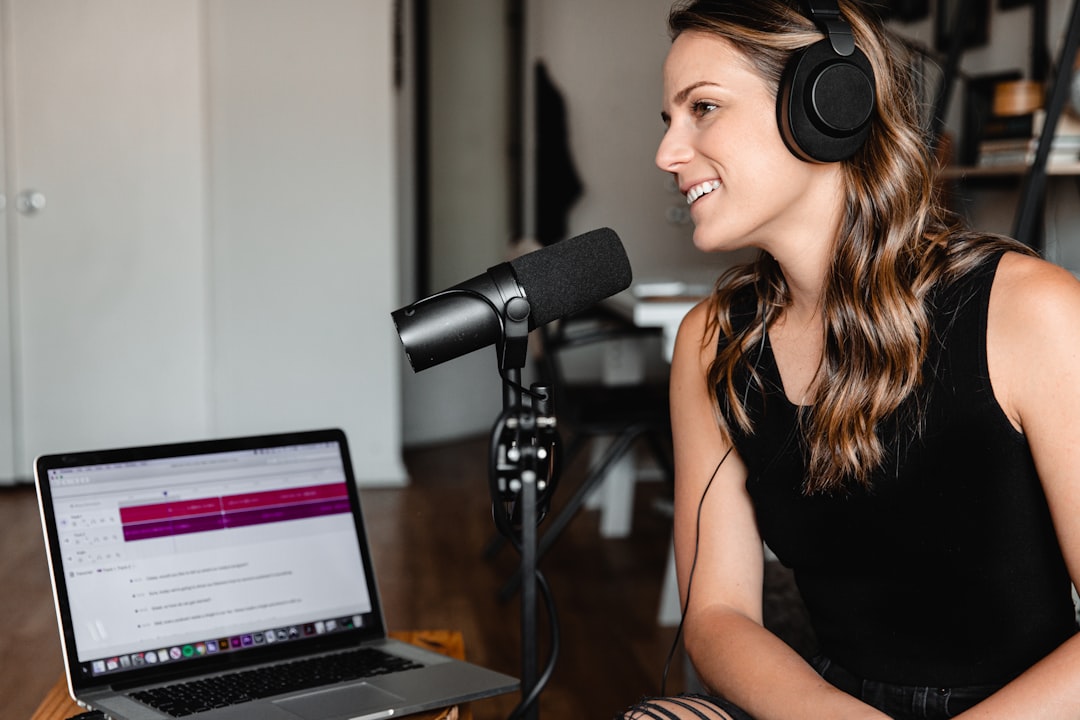
- Use a Quality Microphone: External microphones produce clearer sound than built-in laptop mics.
- Close Unnecessary Apps: Free up system resources to prevent lag.
- Test Before Recording: Perform short trial recordings to adjust settings.
- Record at Native Resolution: Match recording output to monitor resolution for best clarity.
Advantages of Open-Source Solutions
Open-source tools like OBS Studio and ShareX offer flexibility that proprietary software often restricts. Users can install plugins, adjust advanced configurations, and customize workflows.
Additionally, active communities continuously develop updates and provide troubleshooting support. This makes open-source apps especially attractive for users with technical expertise who value control.
Challenges and Limitations
Despite advanced capabilities, screen recording apps are not without challenges.
- Learning Curve: Advanced tools can be overwhelming initially.
- Hardware Requirements: High-resolution recording demands strong GPUs and CPUs.
- File Size Management: High-quality videos can consume significant storage.
- Compatibility Issues: Certain encoding formats may require additional configuration.
Understanding these limitations helps users prepare and optimize their systems accordingly.
The Future of Screen Recording Software
The future of screen capture tools is evolving toward integration with AI-assisted editing, automated transcription, background noise reduction, and cloud-based workflows. As remote work, online education, and digital content creation continue growing, screen recording apps will likely become even more streamlined and accessible.
Cloud-based collaboration, real-time editing, and smarter encoding optimization are setting new standards for efficiency. Advanced automation will reduce the need for manual adjustments, allowing creators to focus more on content quality rather than technical configuration.
Conclusion
Screen recording apps like OBS Studio empower users to create professional-quality videos across various industries and purposes. From livestream gaming and educational tutorials to corporate communication and software demos, these tools have become essential in the digital age. While OBS Studio remains a leading option due to its flexibility and cost-effectiveness, alternatives like Camtasia, Bandicam, and ShareX provide valuable features tailored to different use cases.
Choosing the right app ultimately depends on individual requirements, technical expertise, and production goals. With the right setup and best practices, anyone can produce high-quality screen recordings that engage and inform audiences effectively.
Frequently Asked Questions (FAQ)
1. Is OBS Studio completely free?
Yes, OBS Studio is fully free and open-source, with no licensing costs or watermarks.
2. Which screen recording app is best for beginners?
Camtasia is often recommended for beginners due to its intuitive interface and built-in editing tools.
3. Can screen recording software capture internal audio?
Most advanced tools, including OBS Studio and Bandicam, can record internal system audio along with microphone input.
4. Does screen recording reduce computer performance?
High-resolution recording can impact performance, especially on lower-end systems. Using hardware encoding and closing background apps can help minimize strain.
5. What is the best recording resolution?
1080p at 30 or 60 FPS is generally considered ideal for most content. Professional creators may opt for 4K depending on their audience and platform.
6. Are there file size concerns when recording in high quality?
Yes, higher resolution and frame rates increase file size. Choosing efficient encoding formats can help balance quality and storage requirements.