
Images make websites beautiful. They tell stories fast. They grab attention. But they can also slow your site down. And a slow site means unhappy visitors. That’s where image optimization tools come in. They shrink file sizes without ruining quality. Simple idea. Big impact.
TLDR: Image optimization tools reduce image file sizes to make websites load faster. Faster websites improve user experience and SEO. ImageOptim is great, but there are other powerful tools too. TinyPNG, Kraken.io, ShortPixel, and Squoosh are excellent alternatives worth trying.
If you already use ImageOptim, you know how helpful it is. Drag. Drop. Done. But maybe you’re on Windows. Or you want more control. Or you need automation. Don’t worry. There are other great tools out there.
Let’s explore four awesome ImageOptim alternatives that can boost your website’s performance.
Why Image Optimization Matters (A Lot)
Before we dive into the tools, let’s talk about why this even matters.
- Faster load times keep visitors happy.
- Better SEO rankings come from faster websites.
- Lower bounce rates mean more engagement.
- Smaller files save bandwidth and hosting costs.
Think of it like packing for a trip. You want to carry less weight but still have everything you need. Image optimization does exactly that for your website.
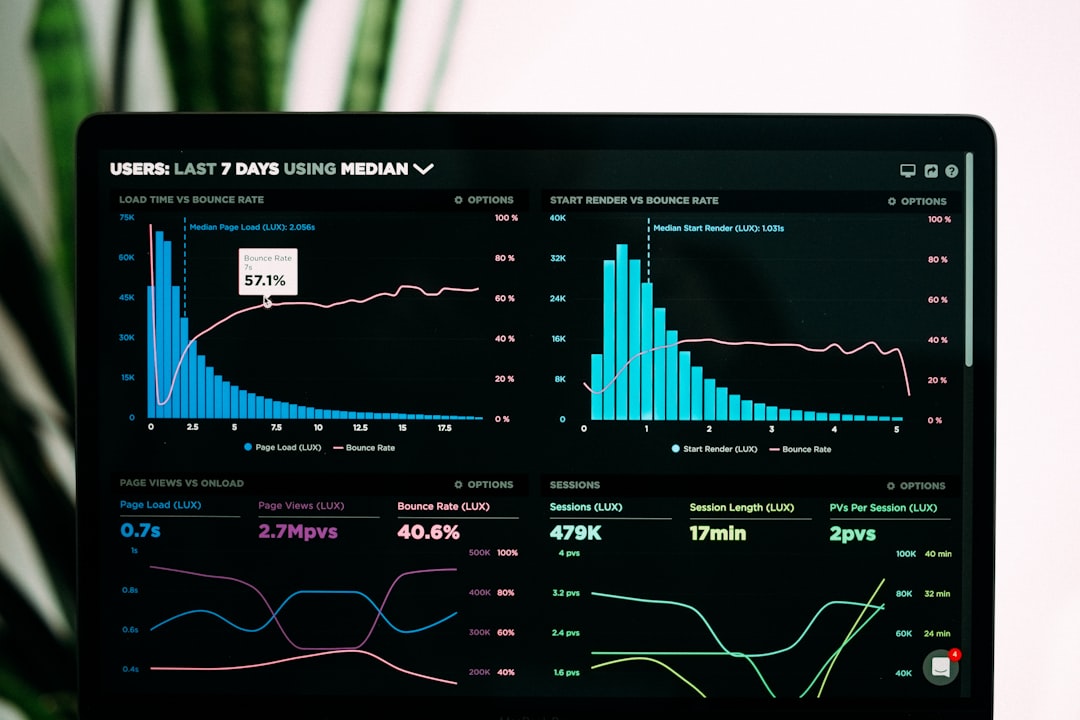
Even shaving off one second of load time can make a huge difference. People are impatient. If your site drags, they leave.
1. TinyPNG (Simple and Super Effective)
TinyPNG is one of the most popular image compression tools online. Don’t let the cute panda fool you. It’s powerful.
It works by using smart lossy compression. That means it reduces file size while keeping the image looking sharp.
Why People Love It
- Very easy to use.
- Bulk upload up to 20 images at once.
- Supports PNG and JPEG.
- Also works with WebP.
- WordPress plugin available.
You just drag your images onto the website. It compresses them automatically. Then you download the smaller versions. Done.
There’s also a developer API. That’s perfect if you want automation.
Best for: Bloggers, small business owners, and beginners who want quick results.
2. Kraken.io (More Control, More Power)
Kraken.io is like the advanced version of a simple optimizer. It gives you options. Lots of them.
You can choose between:
- Lossy compression (smaller file, slight quality reduction)
- Lossless compression (no visible quality loss)
- Expert mode (full control)
That flexibility makes it great for professionals.
Standout Features
- Bulk optimization.
- Resizable images.
- Cloud storage support.
- Powerful API.
- Web interface and desktop version.
It supports JPEG, PNG, GIF, and even animated GIFs.
If you manage a large website or an ecommerce store, Kraken.io can handle the workload.
Best for: Agencies, developers, and larger websites.
3. ShortPixel (Automation Lover’s Dream)
ShortPixel is especially popular among WordPress users. But it works outside WordPress too.
This tool focuses on automation. Install the plugin, and it optimizes every new image automatically. No extra steps.
What Makes It Special?
- Compresses JPG, PNG, GIF, WebP, AVIF, and even PDFs.
- Converts images to next-gen formats.
- Bulk optimization for older images.
- Great WordPress integration.
Next-gen formats like WebP and AVIF are much smaller than traditional JPEGs and PNGs. That means even faster load times.
ShortPixel also lets you choose between lossy, glossy, and lossless modes.
It runs in the background. You barely notice it. But your website feels faster.
Best for: WordPress users, content-heavy sites, photographers.
4. Squoosh (Free and Surprisingly Advanced)
Squoosh is built by Google. And yes, it’s free.
It runs directly in your browser. No uploads to a server. That means your images stay on your computer.
Cool Features
- Real-time before-and-after preview.
- Manual quality adjustment with sliders.
- Supports modern formats like WebP and AVIF.
- No account required.
The live comparison slider is fantastic. You can see exactly how compression affects quality. This helps you find the perfect balance.
The only downside? No bulk automation. It’s more hands-on.
Best for: Designers, developers, and perfectionists who want control.
Quick Comparison Chart
| Tool | Ease of Use | Bulk Compression | Next-Gen Format Support | Automation | Best For |
|---|---|---|---|---|---|
| TinyPNG | Very Easy | Yes | WebP | Limited | Beginners & Bloggers |
| Kraken.io | Moderate | Yes | WebP | Strong API | Agencies & Large Sites |
| ShortPixel | Easy | Yes | WebP & AVIF | Excellent (WP plugin) | WordPress Users |
| Squoosh | Moderate | No | WebP & AVIF | No | Designers & Developers |
How to Choose the Right Tool
Not every tool fits every person. Ask yourself a few simple questions:
- Do I need automation?
- Am I using WordPress?
- Do I want full control over quality?
- Am I optimizing many images at once?
If you just want quick wins, use TinyPNG.
If you manage a big project and need flexibility, try Kraken.io.
If you run WordPress and want set-it-and-forget-it simplicity, go with ShortPixel.
If you enjoy tweaking settings and seeing real-time previews, pick Squoosh.
Pro Tips for Better Optimization
Using the right tool is step one. But there’s more you can do.
- Resize images before uploading them.
- Choose the correct file format.
- Use WebP when possible.
- Enable lazy loading.
- Test your site speed regularly.
Uploading a 4000px-wide image for a 600px content area is overkill. Resize first. Then compress.
Also, test your results using speed tools. Measure. Adjust. Improve.
Final Thoughts
Image optimization sounds technical. But it doesn’t have to be complicated.
Smaller images mean faster pages. Faster pages mean happier visitors. Happier visitors mean better results.
ImageOptim is great. But it’s not your only choice.
TinyPNG keeps things simple.
Kraken.io gives you power.
ShortPixel automates your workflow.
Squoosh gives you control.
Pick the one that fits your style. Start optimizing today. Your website (and your visitors) will thank you.