
When a webpage moves, disappears, or changes its URL, search engines and visitors need clear directions to the new location. A 301 redirect is one of the most important tools for handling that change because it tells browsers and search engines that a page has moved permanently. Used correctly, 301 redirects protect rankings, preserve link equity, and maintain a smooth user experience.
TLDR: A 301 redirect permanently sends users and search engines from one URL to another. It is essential for SEO when pages are moved, URLs are changed, websites are migrated, or duplicate pages need consolidation. Proper redirect planning helps preserve rankings, while poor implementation can cause crawl issues, traffic loss, and broken user journeys.
What Is a 301 Redirect?
A 301 redirect is an HTTP status code that indicates a page has been permanently moved to a new URL. When a browser or search engine crawler requests the old URL, the server automatically sends it to the new destination.
For SEO, the key advantage of a 301 redirect is that it passes most ranking signals from the old page to the new one. These signals may include backlinks, authority, relevance, and historical search performance. While search engines have become much better at processing redirects, the destination page should still closely match the original page’s purpose to achieve the best results.
Why 301 Redirects Matter for SEO
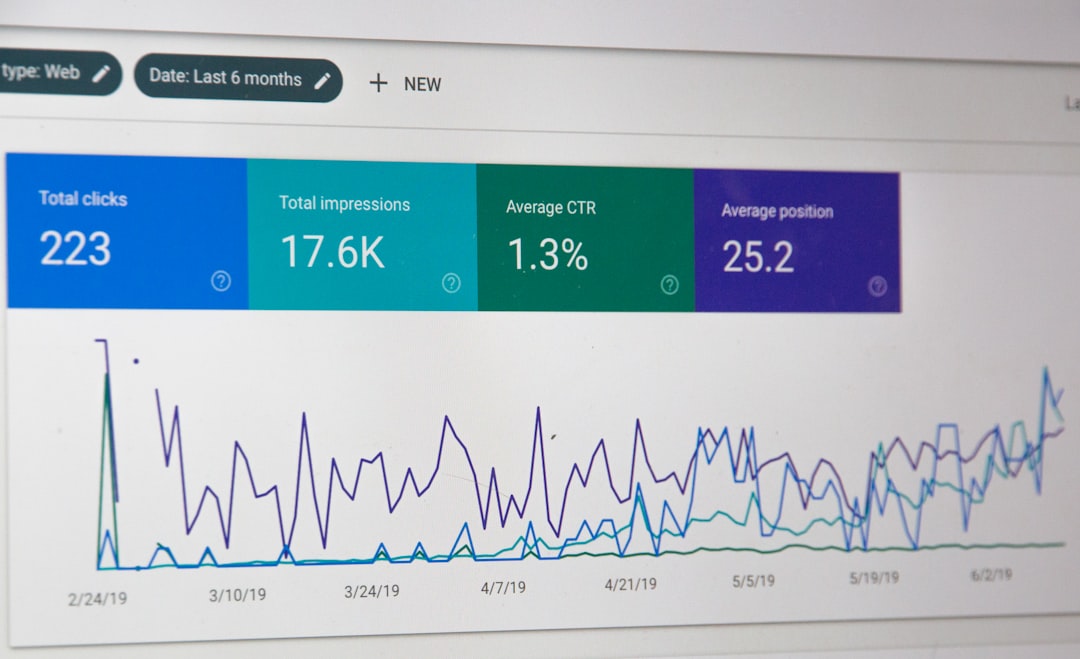
Search engines build indexes based on URLs. If a high-performing URL disappears without a redirect, search engines may treat it as a dead page. This can lead to lost rankings, wasted backlinks, and poor user experiences. A 301 redirect helps prevent that by creating a permanent bridge between the old and new location.
Common SEO benefits include:
- Preserving link equity: Backlinks pointing to the old URL can continue to support the new page.
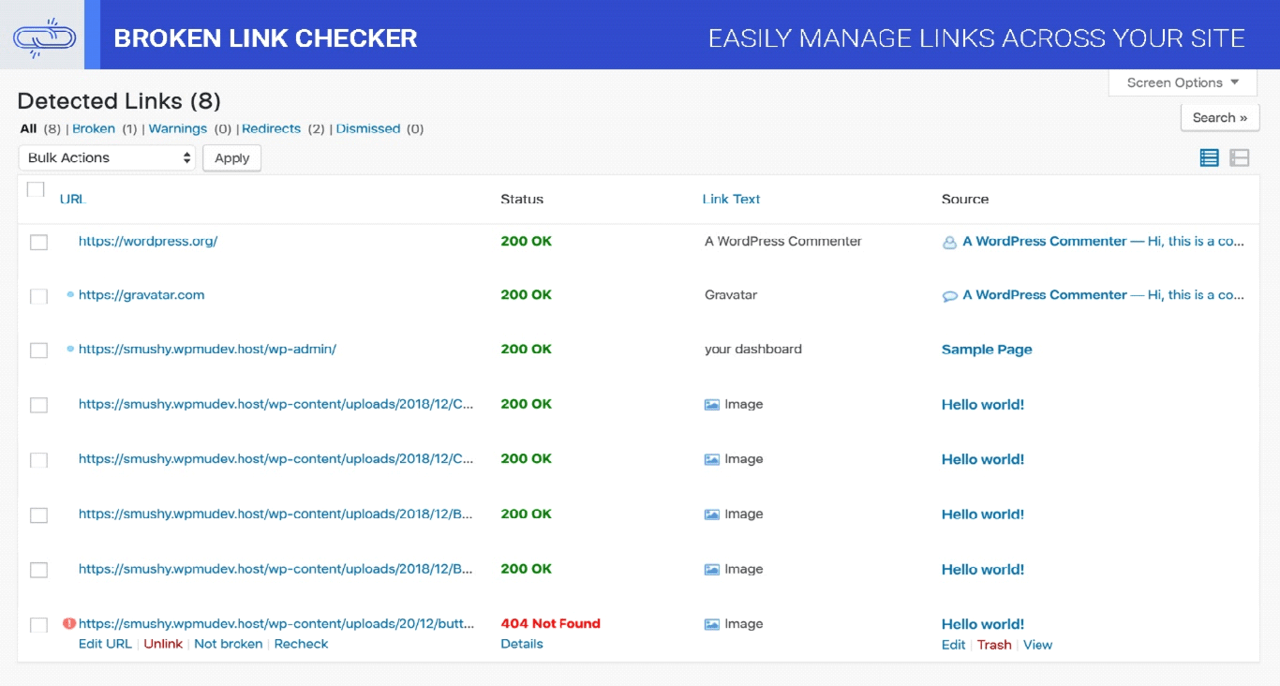
- Preventing 404 errors: Users and crawlers are not left on broken pages.
- Supporting site migrations: Domain changes, HTTPS migrations, and redesigns can be handled more safely.
- Consolidating duplicate content: Similar pages can be redirected to one preferred version.
- Improving user experience: Visitors reach relevant content instead of error pages.
When Should a 301 Redirect Be Used?
A 301 redirect should be used when a URL change is permanent. It is not ideal for temporary changes, testing, or short-term promotions. In those cases, a 302 or 307 redirect may be more appropriate.
Typical situations that require a 301 redirect include:
- A page is moved to a new URL structure.
- A website migrates from HTTP to HTTPS.
- A business changes its domain name.
- Old blog posts are merged into a stronger, updated article.
- Product pages are replaced by newer but equivalent products.
- Trailing slash, lowercase, or www/non-www URL versions need standardization.
301 vs. 302 Redirects
The difference between a 301 and a 302 redirect is important. A 301 redirect means the move is permanent. A 302 redirect means the move is temporary. Search engines interpret these signals differently.
If a page is permanently replaced, a 301 redirect is usually the correct choice. If a page is temporarily unavailable or a seasonal campaign needs short-term routing, a 302 may be better. Using the wrong redirect type can confuse search engines and delay the transfer of ranking signals.
Best Practices for SEO Redirects
Successful redirect implementation depends on accuracy, relevance, and consistency. Search engines prefer clear redirect paths that lead users directly to the most appropriate replacement page.
- Redirect to the most relevant page: The target page should match the intent of the old page. Redirecting every old page to the homepage is usually a poor SEO practice.
- Avoid redirect chains: A redirect chain occurs when URL A redirects to URL B, which redirects to URL C. This can slow crawling and dilute efficiency.
- Avoid redirect loops: A loop happens when URLs redirect back to one another, preventing the page from loading.
- Update internal links: Internal links should point directly to the final destination instead of relying on redirects.
- Keep redirects active long term: Important redirects should remain in place as long as old URLs may receive traffic or backlinks.
- Use one preferred URL version: HTTPS, www or non-www, trailing slash rules, and lowercase formatting should be consistent.
How 301 Redirects Affect Rankings
A properly implemented 301 redirect usually preserves most SEO value, but ranking changes can still occur. Search engines need time to crawl the old URL, process the redirect, understand the new page, and update their index. During this period, traffic and rankings may fluctuate.
The risk is higher when the new page is significantly different from the old one. For example, redirecting an article about technical SEO to a generic services page may not preserve the same relevance. Search engines evaluate whether the new destination satisfies the same search intent.
To reduce ranking loss, the new page should retain important content, metadata, headings, internal links, and topical relevance where appropriate. Strong redirects work best when they support a logical content transition rather than simply covering up deleted pages.
How to Plan Redirects During a Site Migration
Redirect planning is especially important during redesigns, platform changes, and domain migrations. A migration without a redirect map can cause severe SEO damage.
A practical migration process includes:
- Crawling the existing site to collect all indexable URLs.
- Exporting top-performing pages from analytics and search performance tools.
- Mapping each old URL to the closest new equivalent.
- Testing redirects in a staging environment before launch.
- Submitting updated sitemaps after launch.
- Monitoring errors such as 404s, redirect chains, and unexpected drops in traffic.
A redirect map is often the most valuable document in a migration. It shows old URLs, new URLs, redirect status, and notes about page relevance. This makes implementation easier for developers and review easier for SEO teams.
Common 301 Redirect Mistakes
Even experienced teams can create redirect problems. Some mistakes are technical, while others are strategic. Both can affect SEO performance.
- Redirecting all pages to the homepage: This creates a poor experience and weak relevance signals.
- Forgetting image and file URLs: PDFs, images, and downloadable assets may also have backlinks.
- Using temporary redirects for permanent moves: This may delay search engines from treating the new URL as canonical.
- Creating long redirect chains: Each additional hop can reduce efficiency and slow page loading.
- Ignoring old backlinks: High-value linked pages should receive careful redirect mapping.
- Removing redirects too early: Old URLs may continue to receive traffic for years.
How to Check 301 Redirects
Redirects should be tested before and after launch. SEO professionals commonly use crawling tools, browser extensions, server logs, and search engine reporting platforms to verify implementation.
Key checks include whether the old URL returns a true 301 status code, whether it points to the correct final page, whether there are unnecessary hops, and whether the destination page returns a 200 status code. Search console reports can also reveal pages that are still indexed, blocked, broken, or redirected incorrectly.

FAQ
What does a 301 redirect do?
A 301 redirect permanently sends visitors and search engines from one URL to another. It tells search engines that the old page has moved and that the new URL should be treated as the replacement.
Is a 301 redirect good for SEO?
Yes, when used correctly. A 301 redirect helps preserve ranking signals, reduce broken links, and guide search engines to the correct page. Poorly planned redirects, however, can harm SEO.
How long should a 301 redirect stay active?
Important 301 redirects should usually remain active indefinitely, especially when old URLs have backlinks, referral traffic, or historical search visibility.
Can too many redirects hurt a website?
Too many unnecessary redirects can slow crawling and page loading. Redirect chains and loops are especially harmful because they make it harder for users and search engines to reach content efficiently.
Should deleted pages always be redirected?
Not always. If there is a relevant replacement, a 301 redirect is usually appropriate. If no suitable equivalent exists, a 404 or 410 status may be more accurate.
How long does Google take to process a 301 redirect?
Processing time varies. Search engines may recognize simple redirects quickly, but large migrations can take weeks or longer to fully settle in search results.