
Your home computer is like a tiny digital house. It has doors, windows, secret drawers, and maybe a few snacks hiding in the browser history. Cybercriminals love messy digital houses. The good news? You do not need to be a tech wizard to protect yours. You just need a few smart habits.
TLDR: Keep your computer updated, use strong passwords, and think before you click. Turn on antivirus protection and back up your important files. Be careful with public Wi Fi, strange links, and surprise pop ups. A little cyber awareness can save you from a very big headache.
Start With Strong Passwords
Passwords are the keys to your online life. If your password is password123, that is not a key. That is a welcome mat.
Use long passwords. Longer is better than weird. A password like BluePizzaDancesAt7 is easier to remember than a jumble of random symbols. It is also much harder to guess.
Follow these simple password rules:
- Use at least 12 characters.
- Mix words, numbers, and symbols.
- Do not use your name, birthday, or pet’s name.
- Do not reuse the same password everywhere.
- Use a password manager if you can.
A password manager is like a super safe notebook. It remembers your passwords for you. You only need to remember one strong master password.
Turn On Two Factor Authentication
Two factor authentication is often called 2FA. It adds a second lock to your account. First, you enter your password. Then you approve a code or notification on your phone.
This is very helpful. Even if someone steals your password, they still need the second factor. That makes their job much harder. And we like making cybercriminals grumpy.
Use 2FA on important accounts, especially:
- Banking
- Shopping accounts
- Cloud storage
- Social media
Update Your Computer
Updates can feel annoying. They pop up at the worst times. Right when you want to watch a movie, your computer says, “Hello, I need 37 minutes.” Rude? Maybe. Important? Yes.
Updates fix security holes. Cybercriminals look for old software with known problems. If your system is not updated, it is easier to attack.
Keep these updated:
- Your operating system
- Your web browser
- Your antivirus software
- Your apps and programs
- Your router firmware
Turn on automatic updates when possible. Then your computer can patch itself while you do something more fun.
Use Antivirus Protection
Antivirus software is your digital guard dog. It sniffs out malware, viruses, and other nasty bugs. It may bark with alerts sometimes. Listen to it.
Many computers already include built in security tools. Make sure they are turned on. Also make sure they update often. Old antivirus software is like a guard dog taking a nap with headphones on.
A good antivirus can help block:
- Viruses
- Spyware
- Ransomware
- Suspicious downloads
- Dangerous websites
Be Careful With Links and Attachments
Phishing is when someone tries to trick you into giving away information. The message may look real. It may say your account is locked. It may say you won a prize. It may say you must act right now.
Take a breath. Scammers love panic. Panic makes people click.
Before you click, ask:
- Do I know the sender?
- Is the message full of strange spelling?
- Does it demand urgent action?
- Does the link look odd?
- Was I expecting this attachment?
If something feels weird, do not click it. Go directly to the official website instead. Type the address yourself. Or call the company using a trusted number.
Download Like a Picky Eater
Not every download is your friend. Some free software comes with unwanted extras. Some downloads are malware in a fake mustache.
Only download from trusted websites. Avoid pirated software. It may look free, but it can cost you your files, privacy, and sanity.
When installing software, read the screens. Do not click “next” like a sleepy woodpecker. Uncheck extras you do not need.
Back Up Your Files
Backups are boring until you need them. Then they become magical.
A backup is a copy of your important files. Photos, documents, tax files, school work, and personal projects should be backed up. If your computer breaks or ransomware locks your files, a backup can save the day.
Use the 3 2 1 rule:
- Keep 3 copies of important files.
- Use 2 different storage types.
- Keep 1 copy away from your computer.
For example, keep files on your computer, an external drive, and a cloud backup. If you use an external drive, unplug it after backing up. This helps protect it from malware.
Lock Your Screen
Your computer may be in your home, but that does not mean it should stay wide open. Kids, guests, and curious cats can cause chaos.
Set your computer to lock when you walk away. Use a password or PIN to unlock it. This is simple, fast, and smart.
Also create separate accounts for different people. Do not let everyone use the admin account. Admin accounts can change important settings. They are powerful. Like a TV remote during family movie night.
Protect Your Wi Fi
Your Wi Fi is the front gate to your home network. If it is weak, strangers may sneak in.
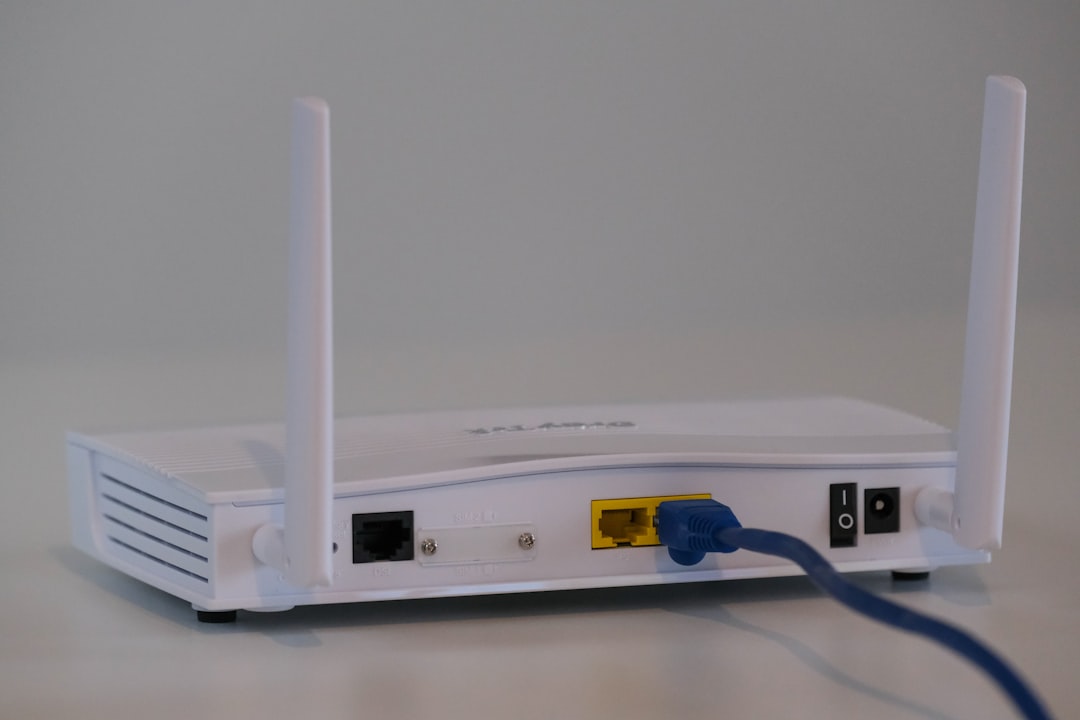
Change the default router password. Default passwords are often easy to find online. Use a strong Wi Fi password too. Do not name your network something that gives away personal details, like your full name or address.
Use WPA2 or WPA3 security if your router supports it. These are safer Wi Fi settings. If your router is very old, think about replacing it.
You can also set up a guest network. This lets visitors use the internet without reaching your personal devices.
Watch Out for Public Wi Fi
Public Wi Fi can be handy. Coffee shops, airports, hotels, and libraries all offer it. But public Wi Fi can also be risky.
Do not use public Wi Fi for banking or shopping unless you trust the connection. If you must use it, consider a VPN. A VPN helps protect your traffic from snoops.
Also turn off automatic connection to public networks. Your computer should not join random networks like an overexcited puppy.
Keep Personal Information Private
Be careful with what you share online. Cybercriminals can use small details to guess passwords or answer security questions.
Think before posting:
- Your birthday
- Your address
- Your vacation plans
- Your phone number
- Your school or workplace details
Also review privacy settings on social media. Share with friends, not the whole planet.
Know the Signs of Trouble
Sometimes your computer acts strange. Not every problem is a cyberattack. But some signs should get your attention.
Watch for:
- Sudden slow performance
- Pop ups that will not stop
- Programs you did not install
- Your browser homepage changing
- Files disappearing or becoming locked
- Messages sent from your account that you did not write
If this happens, disconnect from the internet. Run a security scan. Change passwords from a clean device. Ask a trusted tech person for help if needed.
Make Cyber Safety a Habit
You do not need to be perfect. Cyber safety is about habits. Small actions make a big difference.
Update your computer. Use strong passwords. Turn on 2FA. Avoid sketchy links. Back up your files. Protect your Wi Fi. These steps are simple, but powerful.
Think of it like brushing your teeth. You do not do it once and declare victory forever. You do it often. Your computer needs the same kind of care.
Stay alert. Stay curious. Stay a little suspicious. Your home computer will be safer, your files will be happier, and cybercriminals will have to find an easier target.