
Designing a professional-looking logo no longer requires a big budget or weeks spent with a designer. Online logo makers have evolved into powerful tools accessible to businesses of all sizes. Whether you’re a solopreneur launching a startup or an established small business looking to rebrand, choosing the right logo maker can make or break your brand identity.
TL;DR: Online logo makers have become a powerful and affordable option for businesses seeking professional branding. Top options like Canva, Looka, Wix Logo Maker, and Tailor Brands offer varying degrees of customization, AI support, and file formats. Canva is ideal for creatives who want control, while Looka and Tailor Brands are great if you prefer automation. The right choice depends on your budget, design experience, and branding needs.
Common Features of Top Logo Makers
Before diving into specific platforms, it’s worth understanding the shared functionalities most online logo makers offer:
- Drag-and-Drop Interface: Most logo makers use a visual editor so users can customize elements easily.
- Templates and Icons: Thousands of industry-specific templates and icons are usually included.
- AI-Powered Design: Several platforms suggest logos based on your business name and industry.
- Multiple File Formats: High-resolution files in PNG, SVG, or PDF are typically part of paid packages.
1. Canva Logo Maker
Best for: Teams and entrepreneurs who want creative control with extensive customization options.
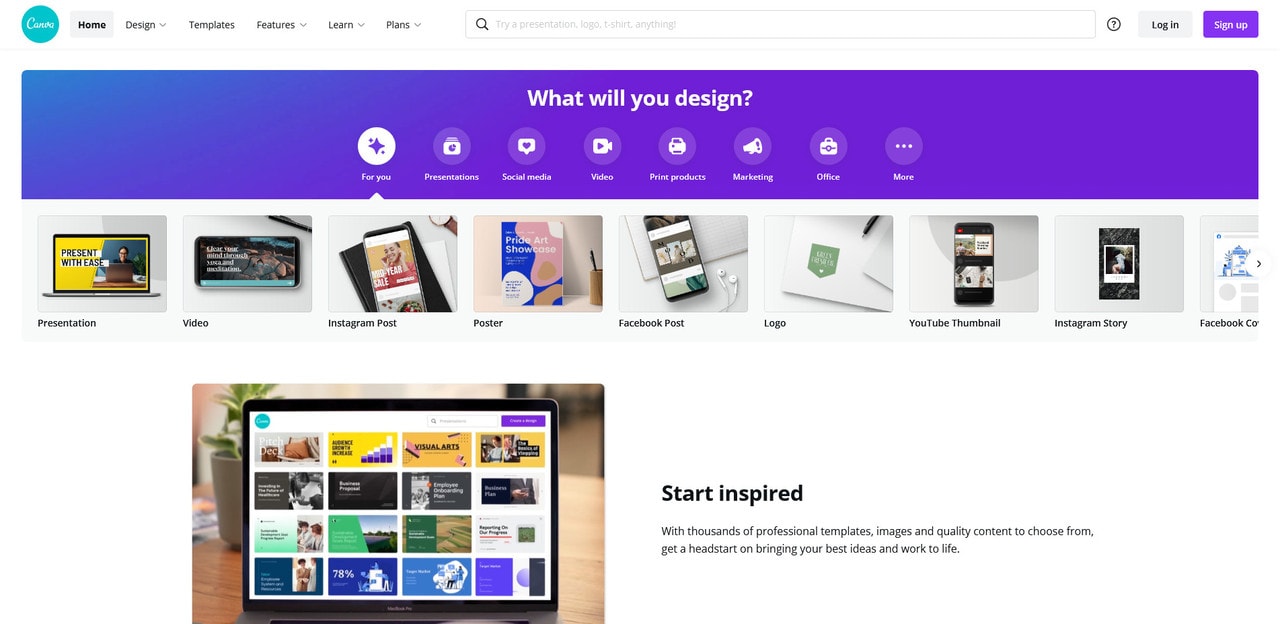
Canva is well known for its user-friendly design platform, and its logo maker is no exception. It offers a wide array of templates, fonts, and icons, giving users the freedom to design a logo completely from scratch or build upon a professionally designed template.
Pros:
- Intuitive drag-and-drop interface
- Huge library of visual elements and templates
- Collaborative tools for teams
- Free version includes a generous amount of assets
Cons:
- Less automation—designing from scratch may be time-consuming
- AI support is minimal compared to others
Pricing: Free tier available. Pro access costs about $12.99/month and opens up premium features.
2. Looka
Best for: Business owners looking for a fast, AI-driven design process with brand kit options.
Looka uses artificial intelligence to automatically generate logo suggestions after asking you for some basic inputs—such as business name, industry, and preferred styles. It then presents dozens of options you can fine-tune within the editor.
Pros:
- AI-based design requires little effort
- Beautiful and modern logo templates
- Brand kit includes business cards, social media assets, and more
Cons:
- Limited customization compared to Canva
- Logos may look too similar to others if not customized
Pricing: Basic logo package starts at $20, while full branding packages can go up to $65 or more.
3. Wix Logo Maker
Best for: Businesses already on Wix, or those wanting easy integration into websites and social media.
Wix Logo Maker provides a robust logo creation experience backed by the same team that powers the popular website builder. AI-generated designs help users kickstart their logo project, and you can edit your logos in great detail.
Pros:
- Deep integration with Wix website builder
- Good balance between automation and customization
- Responsive and mobile-ready versions of logos
Cons:
- Access mostly tied to Wix ecosystem
- Design flexibility may not suit advanced users
Pricing: Logo-only packages begin at around $20. Premium plans can exceed $50 and include full commercial rights.

4. Tailor Brands
Best for: Entrepreneurs looking for a comprehensive branding suite powered by AI.
Tailor Brands goes beyond logos and offers a full brand identity platform. It generates logos using AI and extends services to include business cards, branded presentations, domain names, and even LLC formation services.
Pros:
- AI-generated logos are visually attractive
- All-in-one platform for branding and business services
- Helpful user onboarding and branding suggestions
Cons:
- Limited creative input once AI generates logo
- Subscription required for access to most assets
Pricing: Subscription-based model starting at roughly $9.99/month. Full branding kits and additional services increase cost.
5. Hatchful by Shopify
Best for: E-commerce entrepreneurs using Shopify or those seeking a free, simple solution.
Hatchful is completely free and designed especially for e-commerce businesses. It’s straightforward, mobile-friendly, and creates decent logos quickly, especially for use in online shops and social media.
Pros:
- Completely free to use
- Quick turnaround with minimal input
- Suitable for small e-commerce startups
Cons:
- Limited design customization
- Fewer templates compared to premium tools
Pricing: Free (no hidden charges).
Key Considerations When Choosing a Logo Maker
To find the ideal logo maker for your business, consider the following factors:
- Budget: If you’re bootstrapping, tools like Hatchful or Canva Free are ideal. If you’re ready to invest, Looka or Tailor Brands offer more comprehensive services.
- Design Skills: Canva gives you creative freedom but requires more manual work; AI-driven systems like Tailor Brands or Looka do the heavy lifting for you.
- Branding Needs: If you want more than just a logo—like a full brand kit or website integration—look into platforms like Tailor Brands or Wix Logo Maker.
Also pay attention to the type of file formats you’ll receive, ownership and licensing rights, and customer support levels offered by each platform.
Final Verdict
The “best” logo maker really depends on your specific business goals and comfort with design. Here’s a quick rundown:
- Canva: Best for creatives who want full control over their designs.
- Looka: Great for quick, stylish results with minimum effort via AI.
- Wix Logo Maker: Best for those already in the Wix environment.
- Tailor Brands: Ideal for businesses that need a full branding and operational suite.
- Hatchful: Perfect for lean startups with tight budgets needing e-commerce-friendly logos.
Ultimately, your choice should align with your business size, goals, and how much time you want to invest in the branding process. Starting with a few free tools is often a good way to get a sense of what you’re looking for before committing to a premium design solution.