
In today’s competitive mobile ecosystem, application stability is not optional—it is foundational. Users expect seamless performance, instant responsiveness, and zero tolerance for crashes. Even a single unhandled exception can result in negative reviews, lost revenue, and long-term reputational damage. This is why mobile crash analytics tools like Firebase Crashlytics have become essential components of modern mobile development workflows.
TLDR: Mobile crash analytics tools such as Firebase Crashlytics help developers detect, diagnose, and resolve app crashes in real time. They provide detailed reports, stack traces, user impact metrics, and performance insights that dramatically reduce debugging time. By prioritizing issues based on severity and user impact, teams can fix critical errors faster. Ultimately, crash analytics protects user experience, revenue, and brand reputation.
Monitoring mobile errors goes far beyond knowing that a crash occurred. Developers need structured data, contextual insights, and actionable reports. Crash analytics platforms deliver exactly that, enabling organizations to move from reactive firefighting to proactive stability management.
Why Mobile Crash Monitoring Is Critical
Mobile applications operate in unpredictable environments. Devices vary widely in hardware, operating system versions, memory capacities, and network conditions. Even well-tested applications can fail under unique combinations of circumstances.
Without dedicated crash monitoring tools, teams often rely on:
- User complaints and app store reviews
- Manual log collection
- Incomplete analytics data
- Delayed internal bug reports
This approach is inefficient and reactive. By contrast, tools like Firebase Crashlytics provide immediate visibility into issues the moment they occur in production.
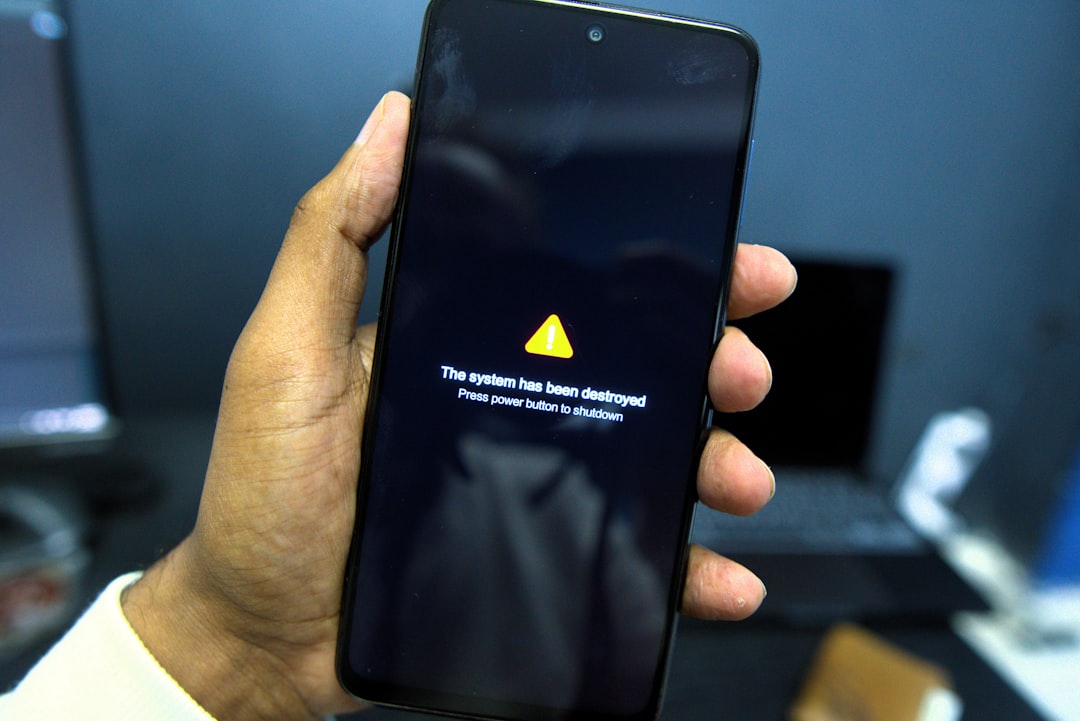
With automated crash reporting, development teams gain:
- Real-time alerts when new crashes are detected
- Detailed stack traces pinpointing the origin of errors
- Device and OS segmentation to identify environment-specific issues
- User impact analysis to understand business implications
This level of visibility is fundamental to maintaining application stability at scale.
How Firebase Crashlytics Works
Firebase Crashlytics is a lightweight, real-time crash reporting solution designed for Android and iOS applications. It integrates directly into the application’s codebase and automatically captures exceptions, fatal crashes, and non-fatal errors.
Once implemented, the system follows a simple yet powerful workflow:
- The app encounters a crash or logged exception.
- Crashlytics collects diagnostic data, including stack traces and device state.
- The information is securely transmitted to the dashboard.
- Errors are grouped intelligently to avoid duplication.
- Developers receive actionable insights.
What sets Crashlytics apart is its smart issue grouping. Instead of overwhelming teams with thousands of individual reports, it clusters similar crashes into manageable issue categories. This significantly reduces noise and improves focus.
Additionally, Crashlytics highlights:
- The number of affected users
- Crash-free user percentages
- Crash-free session percentages
- Trends over time
These metrics enable organizations to monitor stability as a measurable KPI rather than a vague technical concern.
Key Features of Modern Crash Analytics Tools
While Firebase Crashlytics is one of the most widely used platforms, many mobile crash analytics tools share a set of critical capabilities. Understanding these features helps organizations select the right solution.
1. Real-Time Crash Reporting
Immediate notification minimizes downtime and shortens debugging cycles. High-performing teams cannot afford to discover severe production crashes days later.
2. Advanced Stack Trace Analysis
Clear, deobfuscated stack traces ensure that developers can quickly trace the origin of an issue. This is particularly important for apps built with frameworks like Flutter or React Native.
3. Custom Logging
Developers can log contextual information leading up to a crash. These breadcrumbs provide vital insight into user interactions and system states before failure.
4. Performance Monitoring Integration
Crashes are not the only indicator of poor user experience. Lag, memory leaks, or network timeouts can degrade performance without triggering full crashes. Integrated performance monitoring enhances overall visibility.
5. User Impact Prioritization
Not all crashes are equal. Tools rank issues based on:
- Frequency
- Number of affected users
- Severity
- Recency
This ensures that teams focus on high-impact problems first.
Benefits for Development Teams
Implementing mobile crash analytics tools produces measurable operational and business benefits.
Reduced Debugging Time
Clear diagnostics eliminate guesswork. Instead of attempting to reproduce rare bugs manually, developers can review precise details captured at the moment of failure.
Faster Release Cycles
Confidence in stability accelerates release schedules. Teams can deploy updates knowing they will be immediately informed if issues arise.
Improved Collaboration
Crash dashboards serve as centralized references for developers, QA engineers, and product managers. Shared visibility strengthens cross-team coordination.
Data-Driven Stability Goals
Tracking crash-free sessions enables organizations to define quantifiable reliability targets. This shifts stability from reactive troubleshooting to strategic planning.
Impact on User Experience and Business Performance
Application crashes directly influence user trust. Research consistently shows that users uninstall unstable apps quickly—often after just one or two failures.
The consequences include:
- Decreased app store ratings
- Negative reviews
- Lower retention rates
- Reduced in-app purchases or subscriptions
By proactively addressing issues through crash analytics, companies protect both customer lifetime value and brand integrity.
Furthermore, stability contributes to competitive differentiation. In saturated markets, reliability becomes a defining feature that influences long-term loyalty.
Best Practices for Implementing Crash Analytics
Simply installing a crash reporting SDK is not enough. Organizations must integrate crash analytics thoughtfully into their development lifecycle.
Prioritize Early Integration
Crash monitoring should be implemented during early development stages—not just before production release. Early integration enables detection during internal testing phases.
Log Meaningful Context
Teams should strategically add custom logs around critical flows, such as:
- User authentication
- Payment processing
- Data synchronization
- Background services
Context transforms raw stack traces into actionable intelligence.
Review Dashboards Regularly
Continuous monitoring ensures that emerging trends are detected before they escalate. Assign responsibility for crash review to avoid oversight.
Automate Workflows
Many organizations integrate crash analytics with:
- Project management tools
- Real-time notification systems
- CI/CD pipelines
This automation shortens response times and enhances accountability.

Beyond Crashes: The Evolution of Mobile Monitoring
Crash analytics is increasingly part of a broader observability strategy. Modern mobile monitoring platforms incorporate:
- Performance tracking for startup time and responsiveness
- Network monitoring for API latency and failure rates
- ANR detection (Application Not Responding errors)
- Session replay capabilities for behavioral insights
This evolution reflects a deeper understanding: stability is multi-dimensional. Applications may not fully crash but can still frustrate users through freezes or slow rendering.
By combining crash analytics with performance intelligence, organizations achieve comprehensive visibility.
Security and Privacy Considerations
Handling production error data requires responsible security practices. Crash reports may contain sensitive contextual information. Reputable tools like Firebase Crashlytics provide encryption during transmission and secure storage options.
Organizations should:
- Avoid logging personally identifiable information (PII)
- Comply with data protection regulations (GDPR, CCPA, etc.)
- Establish internal access controls
- Regularly audit logging policies
A secure implementation maintains user trust while delivering valuable insights.
Conclusion
Mobile crash analytics tools such as Firebase Crashlytics are no longer optional add-ons—they are strategic necessities. In an environment where user expectations are uncompromising, real-time crash monitoring safeguards both technical performance and business stability.
By delivering deep diagnostic insights, intelligent issue grouping, and user impact prioritization, crash analytics platforms empower development teams to respond quickly and decisively. When integrated effectively into development workflows, these tools shorten debugging cycles, strengthen collaboration, and elevate product quality.
Ultimately, application stability is a measurable asset. Organizations that invest in professional crash analytics demonstrate a commitment to reliability, user satisfaction, and long-term growth. In the competitive mobile landscape, that commitment makes a decisive difference.