
When a crossword game or puzzle website shows a “404 Not Found” error, it means the requested page, puzzle, clue archive, or game asset cannot be found at the address being used. This problem can affect casual players trying to open a daily crossword, subscribers accessing saved puzzles, or website managers maintaining a puzzle platform. Although the message can be frustrating, it is usually fixable once the cause is identified.
TLDR: A 404 Not Found error happens when a crossword puzzle page, game link, image, script, or archive URL no longer exists or cannot be reached. Players should first refresh the page, check the web address, clear the browser cache, and try another device or browser. Website owners should inspect broken links, redirects, deleted puzzle files, permalink settings, and server configuration. If the issue appears only on one puzzle, the page may have been moved, unpublished, or removed from the site.
What the 404 Error Means on Puzzle Websites
A 404 error is an HTTP status code. It tells the browser that the server is reachable, but the specific resource being requested is missing. On crossword and puzzle websites, that missing resource may be a daily puzzle page, a printable grid, a clue database page, a JavaScript game file, an image, or a saved user puzzle.
This error is different from a full website outage. If the homepage loads but a particular crossword does not, the issue is likely limited to a specific URL or file. If every page shows the same error, the problem may involve site-wide routing, DNS, server rules, or a recent website update.

Common Causes of 404 Errors in Crossword Games
There are several reasons a puzzle website might display a 404 message. The most common causes include:
- Incorrect URL: A mistyped link, extra character, or outdated bookmark can lead to a missing page.
- Moved puzzle pages: A daily crossword may have been moved to a new archive structure without a proper redirect.
- Deleted or unpublished puzzles: Editors may remove old puzzles, seasonal games, or licensed content.
- Broken internal links: Navigation menus, clue links, or archive pages may point to old addresses.
- Missing game assets: Crossword games often rely on scripts, images, fonts, and data files. If one is missing, the game may fail.
- Cache problems: A browser or content delivery network may store an old version of a page or link.
- Permalink or routing errors: Website software may generate puzzle URLs incorrectly after an update.
- Server configuration issues: Rewrite rules, file permissions, or directory changes can trigger false 404 responses.
Quick Fixes for Players
Players do not need technical knowledge to try several simple solutions. In many cases, the error results from a temporary browser issue, outdated link, or changed puzzle address.
1. Refresh the Page
The first step is a basic reload. The browser may have failed to load the correct path, or the puzzle website may have briefly returned an error. A hard refresh can help by forcing the browser to request a fresh copy of the page.
- On Windows, the player can use Ctrl + F5.
- On Mac, the player can use Command + Shift + R.
2. Check the Web Address
A small typo can cause a 404 error. The player should look for missing letters, duplicated slashes, incorrect dates, or unusual symbols in the address bar. Crossword archive links often include dates, puzzle IDs, or category names, so even one wrong digit can send the browser to a missing page.
3. Use the Website Search or Archive
If a bookmarked puzzle no longer works, the player should return to the website’s homepage and search for the puzzle title, date, author, or clue. Many crossword sites reorganize archives over time, so the puzzle may still exist under a new URL.
4. Clear Browser Cache and Cookies
Old browser data can point to outdated puzzle files. Clearing the cache may fix missing styles, stuck game boards, or broken crossword pages. If clearing all browser data is inconvenient, the player can first try opening the puzzle in a private or incognito window.
5. Try Another Browser or Device
If a crossword puzzle works on one device but not another, the problem is probably local. Browser extensions, ad blockers, privacy tools, or old cached files can interfere with puzzle scripts. Testing another browser helps confirm whether the error is related to the site or the user’s setup.
6. Check Social Media or Status Updates
Popular puzzle websites sometimes post announcements when daily crosswords, mini games, or word puzzles fail to publish correctly. If many players report the same 404 error, the issue is probably being handled by the site’s technical team.
Fixes for Puzzle Website Owners
For site owners, editors, and developers, a 404 error can reduce traffic, frustrate subscribers, and harm search visibility. The fix depends on whether the error affects one puzzle, a group of archive pages, or the entire site.
1. Find the Broken URL
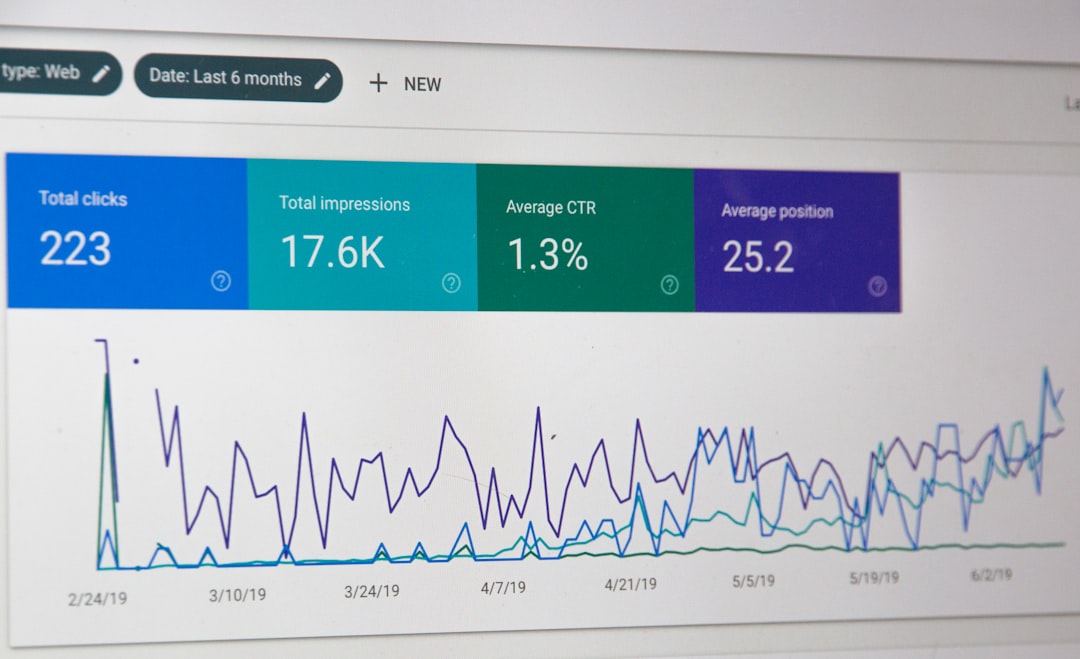
The site owner should identify the exact address returning the error. Server logs, analytics tools, crawl reports, and webmaster dashboards can show which puzzle URLs are failing. It is useful to record whether the error affects desktop, mobile, logged-in users, or all visitors.
2. Restore Missing Puzzle Content
If the crossword page was accidentally deleted or unpublished, restoring it may solve the issue immediately. The owner should check draft status, scheduled publishing dates, category assignments, and content permissions. Puzzle files stored separately, such as JSON puzzle data or interactive grid assets, should also be verified.
3. Add 301 Redirects
When a puzzle has moved, the old URL should redirect to the new one. A 301 redirect tells browsers and search engines that the page has permanently moved. This is especially important for daily crossword archives, clue pages, and puzzle collections that receive traffic from bookmarks or search results.
4. Repair Internal Links
Menus, archive pages, “previous puzzle” buttons, clue references, and related puzzle links should be checked. Broken internal links are common after redesigns or content migrations. A link checker can scan the site and list missing pages that need correction.
5. Review Permalink Settings
Many puzzle sites use content management systems that generate friendly URLs. If permalink settings change, older puzzle links may stop working. Re-saving permalink settings or refreshing routing rules can sometimes resolve widespread 404 errors.
6. Check Game Assets and File Paths
Interactive crossword games often load separate files for grids, clues, timers, scoring systems, and animations. If the page exists but the game does not load, the issue may be a missing asset rather than a missing page. Developers should inspect the browser console and network panel for failed file requests.
7. Confirm Server and CDN Rules
Content delivery networks, firewalls, and server rewrite rules can create accidental 404 errors. A CDN may cache an old missing page, while a server rule may block puzzle data files with certain extensions. Purging the CDN cache and reviewing rewrite rules can resolve these cases.
How to Prevent Future 404 Errors
Prevention is better than repairing broken puzzle pages after players complain. A puzzle website should maintain a consistent URL structure, especially for daily crosswords and archives. Editors should avoid deleting published puzzles unless a replacement page or redirect is created.
Before launching a redesign, the team should map old URLs to new URLs. Automated link checks should run after major updates. It is also helpful to create a custom 404 page that guides visitors back to the daily puzzle, archive, search page, or help section. A useful error page cannot fix the missing URL by itself, but it keeps players from reaching a dead end.
When the Error Cannot Be Fixed by the Player
If a crossword page has been removed due to licensing, expired access, or editorial changes, the player may not be able to restore it. In that case, contacting support is the best option. The message should include the broken link, device type, browser, screenshot if available, and the time the error appeared. Clear details help the support team reproduce and fix the problem faster.
FAQ
What does “404 Not Found” mean in a crossword game?
It means the browser reached the website, but the specific puzzle page, file, clue archive, or game resource could not be found at that address.
Can a player fix a 404 error without contacting support?
Often, yes. Refreshing the page, checking the URL, clearing the cache, using the site search, or trying another browser may solve the problem.
Why does only one crossword puzzle show a 404 error?
The individual puzzle may have been moved, deleted, unpublished, incorrectly linked, or missing its data file.
Why do old crossword bookmarks stop working?
Old bookmarks may point to URLs that changed during a site redesign, archive update, or content migration. A proper redirect should take visitors to the new page.
What should a website owner do first?
The owner should identify the exact broken URL, check whether the content still exists, and add a redirect if the puzzle has moved.
Does a 404 error hurt search rankings?
A few 404 errors are normal, but many broken puzzle pages can harm user experience and reduce search visibility if important pages are not redirected or restored.