
Brainstorming used to mean sticky notes, wall space, and markers that ran out too fast. Now, teams work from everywhere. Home. Office. Coffee shop. Different time zones. That is where collaboration whiteboard tools like FigJam shine.
These digital whiteboards make teamwork easy, visual, and fun. You can sketch ideas, drag sticky notes, vote, react with emojis, and build plans together. All in real time. No erasing needed.
TLDR: Collaboration whiteboard tools like FigJam help teams brainstorm in real time from anywhere. They turn messy ideas into organized plans using sticky notes, diagrams, and visual tools. They boost creativity, teamwork, and speed. If your team thinks better together, these tools are a game changer.
Let’s explore how these tools work, why teams love them, and which ones stand out.
What Are Collaboration Whiteboard Tools?
Think of them as a giant online canvas. But smarter.
You and your team can:
- Add digital sticky notes
- Draw diagrams
- Create flowcharts
- Map user journeys
- Comment and chat
- Vote on ideas
- Upload images
All at the same time.
No version confusion. No emailing files. Just one shared space.
Tools like FigJam, Miro, Mural, and Microsoft Whiteboard help teams see their thinking. And when you can see ideas, you shape them faster.
Why Teams Love Tools Like FigJam
Creative work is messy. That is a good thing. But it needs structure. Whiteboard tools balance both.
1. Real-Time Collaboration
You can watch ideas appear live on your screen. Teammates add notes. Someone sketches. Another comments. It feels like sitting together.
This energy boosts creativity.
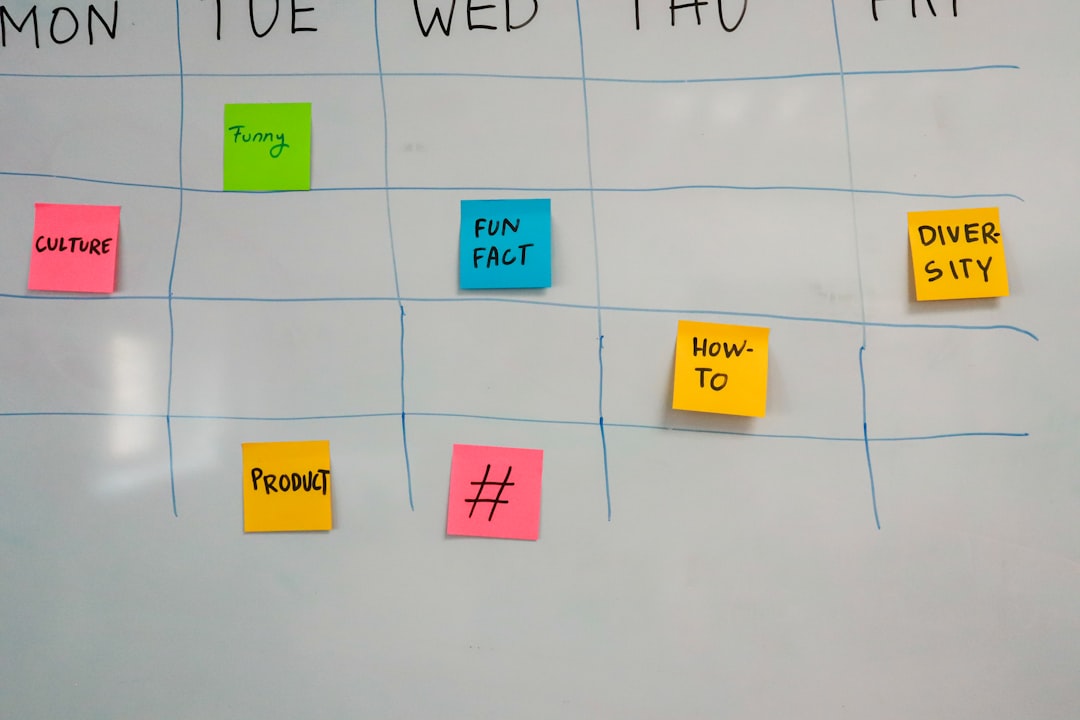
2. Easy to Use
Most tools are simple. Drag. Drop. Type. Draw.
You do not need design skills. You do not need training. You just start.
3. Structured Brainstorming
Good ideas can get lost in messy meetings. Whiteboard tools help you:
- Group related thoughts
- Color-code themes
- Highlight priorities
- Create timelines
This turns chaos into clarity.
4. Templates Save Time
Need a SWOT analysis? A product roadmap? A design sprint board?
Just pick a template.
Templates guide the session. They keep everyone focused.
5. Fun Features
FigJam, for example, includes:
- Emojis
- Stamps
- Reactions
- Voting tools
This makes meetings feel less stiff. More human. And honestly, more fun.
How FigJam Stands Out
FigJam is built by the team behind Figma. It is designed for collaboration first.
It feels friendly. Clean layout. Soft colors. Playful tools.
Here is what makes it popular:
- Live cursor chat – You can see where teammates are pointing.
- Quick shapes and connectors – Perfect for flowcharts.
- Easy sharing – Send a link and start.
- Ready-made widgets – Polls, timers, music players.
Design and product teams especially love it. But marketing, HR, and education teams use it too.
Other Popular Whiteboard Tools
FigJam is great. But it is not alone.
Here are other tools teams often compare:
Miro
- Very powerful
- Huge template library
- Great for large enterprises
- Advanced integrations
Mural
- Strong facilitation tools
- Workshop-focused features
- Good privacy settings
Microsoft Whiteboard
- Simple interface
- Integrated with Microsoft 365
- Good for basic brainstorming
Comparison Chart
| Feature | FigJam | Miro | Mural | Microsoft Whiteboard |
|---|---|---|---|---|
| Ease of Use | Very easy and playful | Moderate learning curve | Moderate | Very simple |
| Templates | Strong selection | Extensive library | Workshop focused | Limited |
| Best For | Creative teams | Large teams and enterprises | Facilitated workshops | Basic collaboration |
| Integrations | Strong with design tools | Wide range | Enterprise tools | Microsoft ecosystem |
| Fun Extras | Emojis, stamps, widgets | Reactions, plugins | Voting and timers | Basic tools only |
How Teams Use Whiteboard Tools
These tools are flexible. Almost any team can use them.
Product Teams
- User journey maps
- Feature prioritization
- Sprint planning
- Wireframe sketches
Marketing Teams
- Campaign brainstorming
- Content calendars
- Brand positioning exercises
- Audience mapping
HR Teams
- Employee journey mapping
- Team-building sessions
- Training workshops
Startups
- Business model canvas
- Pitch planning
- Problem-solution mapping

The visual aspect changes everything. Instead of long documents, you get interactive boards.
People engage more. They contribute more.
How to Run a Great Brainstorming Session
Having the tool is one thing. Using it well is another.
Step 1: Set a Clear Goal
Be specific. “Improve onboarding flow.” Not “Talk about product.”
Step 2: Use a Template
Templates create structure. They save time.
Step 3: Time-Box Activities
Use timers. Short bursts increase focus.
Step 4: Encourage Silent Brainstorming
Let each person add notes quietly first. This avoids group bias.
Step 5: Cluster and Vote
Group similar ideas. Then use voting tools to pick winners.
Step 6: Turn Ideas into Action
Create next steps directly on the board.
A good session feels energetic. Focused. Clear.
Benefits of Visual Thinking
Why do whiteboards work so well?
Because humans think visually.
- We process images faster than text.
- We remember visuals longer.
- We spot patterns more easily.
When ideas are scattered in emails, they feel heavy. When they are on a board, they feel editable. Movable. Flexible.
This freedom sparks creativity.

Remote and Hybrid Work Made Easy
Remote work is normal now.
But remote brainstorming used to be awkward.
Video calls alone are not enough. People talk over each other. Ideas get lost.
Whiteboard tools fix that.
- Everyone types at once.
- Quiet team members contribute easily.
- Sessions can be recorded and saved.
Hybrid teams benefit too. Some in the office. Some at home. All on the same board.
Common Challenges (And How to Fix Them)
Too Many Ideas
Use clustering and voting.
Messy Boards
Assign a facilitator. Keep structure.
Low Participation
Use anonymous mode. Add interactive elements.
Tool Overwhelm
Start simple. Sticky notes first. Advanced features later.
The goal is collaboration. Not perfection.
The Future of Digital Brainstorming
Whiteboard tools keep evolving.
We see:
- AI idea suggestions
- Auto-clustering notes
- Smart summaries
- Voice-to-note features
AI will help organize thoughts faster. But human creativity stays at the center.
These tools will become more immersive. More connected. More intelligent.
Final Thoughts
Collaboration whiteboard tools like FigJam change how teams think together.
They remove barriers. They speed up innovation. They make meetings engaging.
Instead of long discussions, you get shared visual progress.
Instead of scattered notes, you get structured ideas.
Instead of passive attendees, you get active contributors.
If your team brainstorms often, a digital whiteboard is not just helpful. It is essential.
Try one. Start simple. Add sticky notes. Invite your team.
You might be surprised how quickly great ideas take shape.