
Tumblr profile pictures are tiny, but they do a surprising amount of work. They set the mood before anyone reads your bio, notices your theme, or scrolls through your posts. Whether your blog is dreamy, chaotic, gothic, minimalist, fandom focused, or completely surreal, the right tools can help you create an avatar that feels unmistakably you.
TLDR: The best Tumblr profile picture tools depend on your style: use Canva or Adobe Express for quick polished designs, Photopea or GIMP for advanced editing, and Procreate or ibisPaint for hand drawn avatars. Tools like Picsart, Pixlr, Coolors, and remove.bg are great for adding effects, colors, and clean cutouts. For the strongest result, design at a large square size, keep the focal point centered, and test how it looks when cropped small.
What Makes a Great Tumblr Profile Picture?
A Tumblr avatar has to be expressive at a small size. That means your design should have a clear focal point, strong contrast, and a recognizable mood. A detailed collage might look incredible at full size, but if it turns into visual noise when reduced to a small circle, it will not work as well on the dashboard.
Before choosing a tool, think about the type of profile picture you want:
- Aesthetic collage: layered images, textures, stickers, gradients, and quotes.
- Illustrated avatar: a drawing, character, mascot, or stylized self portrait.
- Photo edit: a portrait or object with filters, lighting effects, and background changes.
- Minimal icon: simple shapes, initials, symbols, or a bold color palette.
- Fandom inspired design: references, colors, or motifs connected to a show, band, game, or character.
For best results, create your image in a square canvas, preferably 512 x 512 pixels or larger. Keep important details near the center, because Tumblr may display your avatar in a circular crop in some places.
1. Canva: Best for Fast, Stylish Results
Canva is one of the easiest tools for making Tumblr profile pictures if you want something attractive without learning complex design software. It offers templates, fonts, frames, stickers, background textures, and simple drag and drop editing. You can start with a blank square canvas, upload your own photo, and then add borders, stars, grain effects, text, or abstract shapes.
Canva is especially useful for soft aesthetic, dark academia, pastel, retro, and minimalist profile pictures. The main advantage is speed: you can create several variations in one sitting and compare them. The downside is that many people use the same templates, so customization matters. Change the colors, replace default graphics, and avoid leaving a template exactly as you found it.
2. Adobe Express: Best for Clean Social Media Graphics
Adobe Express is another strong option for users who want a polished, social media ready avatar. It has background removal, text effects, design assets, and simple photo editing features. Compared with Canva, Adobe Express often feels a little more refined for clean layouts and branded visuals.
It works well if you want your Tumblr profile picture to match a broader online identity. For example, if your Tumblr blog also connects to your poetry account, art shop, photography portfolio, or music page, Adobe Express can help you keep your colors and style consistent. Use it for sharp monograms, neat icons, edited portraits, and profile pictures with a professional but still creative feel.
3. Photopea: Best Free Photoshop Alternative
If you want more control, Photopea is one of the most impressive browser based editing tools available. It looks and behaves a lot like Photoshop, with layers, masks, blending modes, adjustment tools, and support for PSD files. You can remove backgrounds, combine images, add color grading, create glow effects, and fine tune every part of your profile picture.
Photopea is ideal for Tumblr users who love edits with a more complex or moody look: double exposures, dramatic lighting, cyberpunk colors, grunge textures, or surreal compositions. Because it is more advanced, there is a learning curve, but the layer based workflow gives you far more freedom than most template based tools.
4. Pixlr: Best for Quick Photo Effects
Pixlr is a lightweight editor that is excellent for quick transformations. It has filters, overlays, retouching tools, background editing, and AI assisted features. If you already have a selfie, pet photo, object photo, or favorite original image, Pixlr can help turn it into a Tumblr ready avatar with minimal effort.
Use Pixlr when you want to experiment with color shifts, blur, bokeh, film grain, glitch effects, or vintage tones. It is particularly good for users who want something atmospheric but do not need deep layer editing. A simple photo can become much more distinctive with a bold crop, a color overlay, and a textured border.
5. Procreate: Best for Hand Drawn Avatars
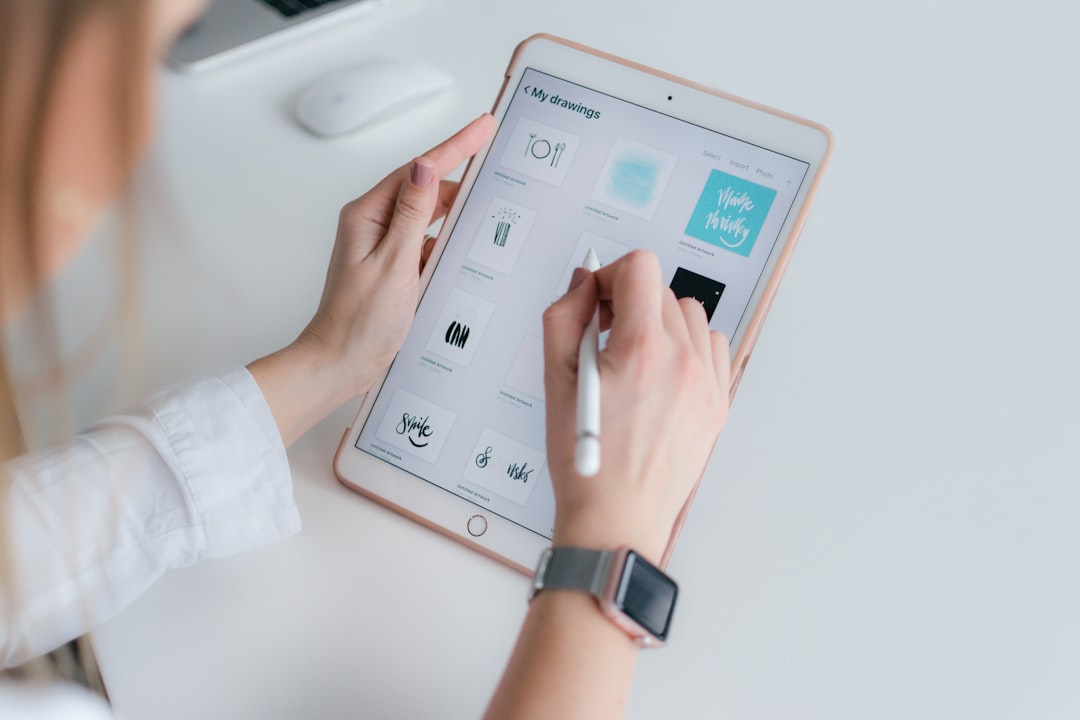
For iPad users, Procreate is one of the best tools for creating a truly original Tumblr profile picture. Since you are drawing from scratch, your avatar will not look like anyone else’s template. You can create a cartoon self portrait, a symbolic object, a fantasy character, a creature mascot, or an abstract painted icon.
Procreate’s brushes are the real attraction. You can create soft pencil sketches, clean line art, watercolor textures, neon strokes, pixel style drawings, or oil paint effects. If your Tumblr is centered on art, writing, roleplay, original characters, or personal worldbuilding, a hand drawn avatar can make your blog feel much more personal.
6. ibisPaint: Best Mobile Drawing App
If you do not have an iPad, ibisPaint is a fantastic mobile friendly drawing tool. It is popular among artists who create anime inspired icons, fan art avatars, and expressive character portraits. The app includes layers, brushes, stabilizers, filters, and screen tone effects, making it surprisingly powerful for phone based drawing.
ibisPaint is especially useful for Tumblr communities built around fandom, original characters, manga aesthetics, or emotional character art. Make sure your lines are bold enough to read at small sizes, and avoid putting tiny details near the edges where they may be cropped.
7. Picsart: Best for Stickers, Edits, and Trendy Effects
Picsart is perfect for playful, maximalist Tumblr profile pictures. It has stickers, cutouts, filters, collage tools, masks, and effects that make it easy to create something energetic. If your style is chaotic, sparkly, meme inspired, Y2K, punk, or surreal, Picsart gives you plenty to work with.
The key with Picsart is restraint. Because there are so many effects, it is easy to overload the design. Choose one main subject, one or two effects, and a limited color palette. A well placed sticker or glow can make the image memorable; ten stickers may make it unreadable.
8. Figma: Best for Minimal Icons and Layout Precision
Figma is usually associated with interface design, but it is also excellent for simple avatar layouts. If you want a crisp icon, geometric symbol, initials, or clean abstract design, Figma gives you precise control over shapes, alignment, spacing, and color.
It is a great choice for minimalist Tumblr blogs, typography based identities, or users who want their avatar to look modern and intentional. You can create reusable components, test multiple color versions, and export a sharp PNG. Pair Figma with a palette tool like Coolors for an even stronger result.
Helpful Bonus Tools
- Coolors: Great for building a color palette that matches your Tumblr theme.
- remove.bg: Useful for quickly removing the background from portraits, objects, or pets.
- GIMP: A powerful free desktop editor for users who want advanced features without paying for software.
- Krita: Excellent for digital painting, character art, and expressive illustrated avatars.
- FontSpace or Google Fonts: Helpful for finding typography that fits your mood, from elegant serif fonts to playful display styles.
Tips for Making Your Avatar Stand Out
No matter which tool you use, the strongest Tumblr profile pictures usually follow a few design principles. First, use contrast. A pale subject on a pale background may disappear when viewed small. Second, keep the design center focused. Third, create a recognizable mood through color: dusty browns for vintage, black and red for dramatic, soft pinks for romantic, or electric blue and purple for futuristic.
Also, test your image before committing. Export it, shrink it on your screen, and ask: can you still understand it? Does it feel like your blog? Does it look good beside your username and theme? If not, simplify it. Sometimes removing one element makes the whole profile picture stronger.
Final Thoughts
The best tool for designing a unique Tumblr profile picture depends on how you like to create. Choose Canva or Adobe Express for speed, Photopea or GIMP for detailed editing, Procreate, Krita, or ibisPaint for illustration, and Picsart or Pixlr for expressive effects. The tool matters, but your taste matters more. A memorable Tumblr avatar is not just a pretty image; it is a tiny visual doorway into the world of your blog.