



Repetitive work has always been part of business operations, but by 2026 the standard for handling it has changed. Teams no longer need to accept hours of manual copying, sorting, drafting, checking, scheduling, and reporting as unavoidable overhead. With mature AI tools, workflow automation platforms, and better integrations between business systems, organizations can now automate many routine tasks while keeping human oversight where judgment, ethics, and accountability matter most.
TLDR: In 2026, automating repetitive tasks with AI means identifying predictable workflows, choosing reliable tools, connecting them securely, and monitoring results continuously. The best use cases include email handling, data entry, document processing, meeting notes, customer support, reporting, and internal knowledge search. Start small, measure accuracy and time savings, and keep humans involved for approvals, exceptions, and sensitive decisions.
Why AI Automation Matters in 2026
AI automation is no longer limited to simple “if this, then that” rules. Modern tools can read documents, summarize messages, classify requests, extract data, draft responses, update databases, analyze trends, and trigger actions across multiple applications. This makes automation useful not only for technical teams, but also for finance, HR, marketing, sales, operations, legal, and customer service.
The serious advantage is not replacing people; it is reducing low-value repetition. When employees spend less time moving information between systems or rewriting similar messages, they have more time for analysis, client relationships, creative work, and decision-making. For businesses, this can lead to faster response times, fewer errors, lower operating costs, and improved consistency.


Step 1: Identify Tasks Worth Automating
Before selecting tools, examine your daily and weekly workflows. The best candidates for AI automation usually share several characteristics: they happen often, follow recognizable patterns, use digital information, and do not require complex human judgment every time.
Good automation candidates include:
- Email triage: sorting messages, highlighting urgent requests, drafting replies, and routing emails to the right person.
- Data entry: moving information from forms, invoices, emails, or spreadsheets into CRM, ERP, or accounting systems.
- Document processing: extracting names, dates, totals, clauses, and action items from contracts, receipts, reports, and forms.
- Meeting support: recording transcripts, creating summaries, assigning follow-up tasks, and updating project boards.
- Customer support: answering common questions, classifying tickets, suggesting replies, and escalating complex cases.
- Reporting: gathering data, producing summaries, detecting anomalies, and generating weekly or monthly updates.
- Knowledge search: helping employees find answers in internal documents, policies, manuals, and previous conversations.
A useful starting point is to ask employees: “What task do you repeat so often that it feels like a poor use of your time?” Their answers often reveal automation opportunities faster than a top-down audit.
Step 2: Map the Workflow Before Choosing Tools
Many automation projects fail because organizations buy tools before understanding the process. A responsible approach begins with workflow mapping. Write down where the task starts, what information is required, who is involved, which systems are used, what decisions are made, and what the final output should be.
For example, if you want to automate invoice processing, the workflow may include receiving invoices by email, extracting vendor names and totals, checking purchase orders, entering data into accounting software, flagging mismatches, and requesting approval. Each step should have a clear owner, expected output, and rule for exceptions.
Document the following before implementation:
- The trigger that starts the workflow.
- The data sources involved.
- The systems that must be updated.
- The decisions AI is allowed to make.
- The decisions requiring human approval.
- The acceptable error rate and review process.
- The logs or audit trail required for compliance.
Step 3: Choose the Right Type of AI Tool
In 2026, AI automation tools generally fall into several categories. Some organizations use one platform; others combine multiple tools depending on complexity, security requirements, and existing software.
AI assistants are useful for writing, summarizing, brainstorming, research support, and document analysis. They can help draft emails, policies, reports, and internal knowledge articles. However, they should be connected carefully to company data and governed by access controls.
Workflow automation platforms connect applications and trigger actions automatically. These tools are ideal for moving information between systems, creating tasks, sending alerts, updating records, and coordinating multi-step processes.
Robotic process automation tools are useful when older systems do not have modern APIs. They can imitate user actions such as clicking buttons, copying data, and submitting forms. While powerful, they require maintenance when interfaces change.
Document AI platforms specialize in reading structured and unstructured documents. They are especially valuable in finance, insurance, logistics, healthcare administration, and legal operations.
AI customer support agents can handle common support requests, retrieve relevant knowledge base content, collect customer details, and escalate sensitive or complex cases to humans.
The right tool depends on the task. A simple email summary may only need an AI assistant. A full procurement workflow may require document AI, business rules, approval routing, and integration with finance systems.
Step 4: Build a Small, Controlled Pilot
Do not begin by automating an entire department. Start with a narrow process that has measurable value and manageable risk. A good pilot might be “classify incoming support tickets and suggest responses,” not “replace the entire customer support function.”
Define success metrics before launch. These may include time saved per task, reduction in manual errors, faster response times, improved completion rates, or employee satisfaction. Track both quantitative results and qualitative feedback from the people using the automation.
A reliable pilot should include:
- A clearly defined scope.
- Test data that reflects real operating conditions.
- Human review of AI outputs.
- Error tracking and root-cause analysis.
- Security and privacy checks.
- A rollback plan if the automation behaves incorrectly.


Step 5: Connect AI to Business Systems Safely
The value of automation increases when AI tools can interact with the systems your organization already uses: email, calendars, CRMs, accounting platforms, file storage, help desks, project management tools, HR systems, and databases. However, integration must be handled carefully.
Use the principle of least privilege. An AI tool should only access the data and functions required for its task. If an automation summarizes meeting notes, it does not need permission to view payroll files. If it updates customer records, it may not need permission to delete them.
Security teams should review authentication methods, data retention policies, encryption, audit logs, vendor terms, and compliance obligations. For regulated industries, it is also important to confirm where data is processed, whether it is used for model training, and how sensitive information is protected.
Step 6: Keep Humans in the Loop
AI automation works best when responsibility is clearly divided between machines and people. Routine classification, extraction, drafting, and routing can often be automated. Final approval, conflict resolution, ethical judgment, and sensitive communication often require human involvement.
Human review is especially important when automation affects money, employment, legal rights, medical information, customer relationships, or compliance. Even highly capable systems can misunderstand context, rely on incomplete data, or produce confident but incorrect outputs.
A practical approach is to create approval thresholds. For example, invoices under a certain amount with matching purchase orders may be processed automatically, while larger or mismatched invoices require review. Customer support agents may send approved answers automatically for simple questions, but escalate complaints, refund disputes, or legal threats.
Step 7: Standardize Prompts, Rules, and Templates
Many AI automations depend on instructions. Poor instructions produce inconsistent results; standardized instructions improve reliability. Create approved prompt templates for recurring tasks such as summarizing calls, drafting client updates, extracting contract terms, or classifying support tickets.
Effective AI instructions usually specify:
- The role the AI should perform.
- The input it should analyze.
- The exact output format required.
- Any rules, constraints, or exclusions.
- When to ask for human review.
- Examples of correct and incorrect outputs.
For serious business use, prompts should be treated as operational assets. Store them centrally, version them, test changes, and prevent unapproved edits in critical workflows.
Step 8: Measure Performance and Improve Continuously
Automation is not a one-time setup. Business processes change, software changes, customer behavior changes, and AI models evolve. Continuous monitoring is essential.
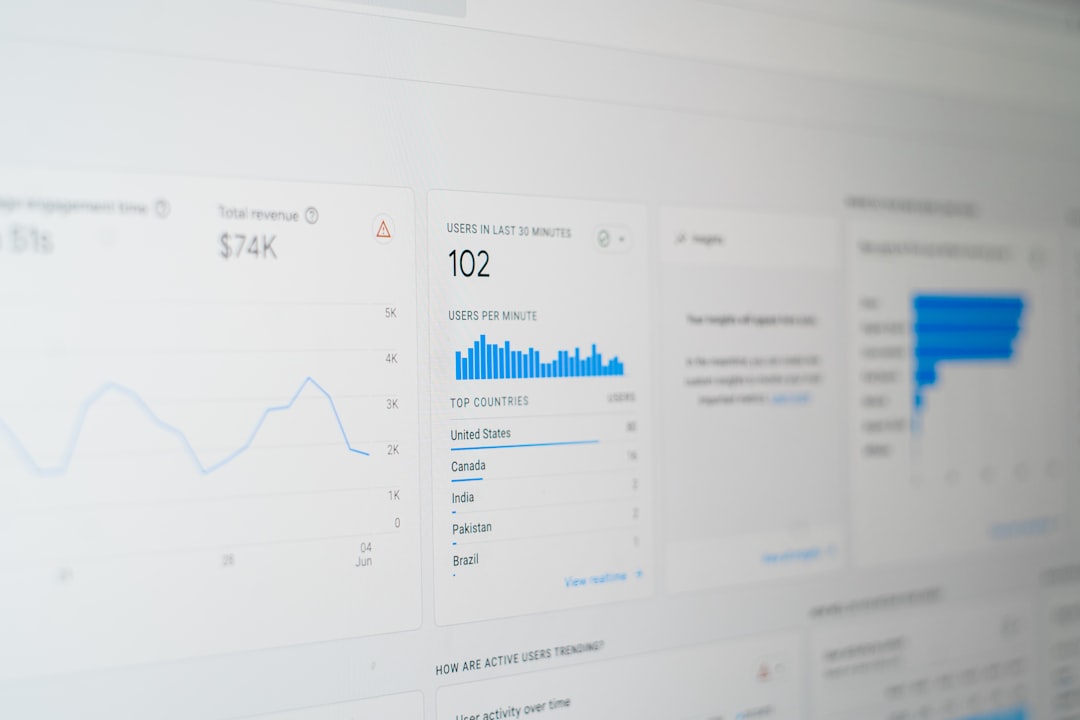
Track metrics such as accuracy, completion time, exception rates, manual intervention rates, customer satisfaction, cost per transaction, and employee feedback. Review failures regularly. If an automation makes repeated mistakes, investigate whether the cause is unclear data, weak instructions, poor integration, or an inappropriate use case.
It is also wise to schedule periodic governance reviews. These reviews should confirm that the automation still serves a legitimate business purpose, follows current policies, protects data appropriately, and produces outcomes that are fair and explainable.
Common Mistakes to Avoid
One common mistake is automating a broken process. If a workflow is confusing, inconsistent, or unnecessary, AI may simply make the problem happen faster. Improve the process before automating it.
Another mistake is assuming AI is always correct. Even advanced tools can produce errors, especially with ambiguous instructions or incomplete information. Verification is not optional for high-impact work.
Organizations also sometimes overlook employee adoption. If staff members do not trust the tool, understand the workflow, or know how to handle exceptions, automation will underperform. Training and communication are essential.
Finally, avoid connecting AI tools to sensitive data without proper review. Convenience should never override security, privacy, or compliance obligations.
Practical Examples of AI Automation in 2026
Sales teams can automate lead research, CRM updates, follow-up reminders, call summaries, and personalized outreach drafts. Sales representatives still manage relationships and negotiate, but administrative work is reduced.
Finance teams can automate invoice capture, expense categorization, variance explanations, reconciliation support, and monthly reporting. Human reviewers focus on exceptions, approvals, and financial judgment.
HR teams can automate interview scheduling, employee FAQ responses, onboarding checklists, document collection, and policy search. Sensitive decisions about hiring, performance, and employee relations should remain carefully governed.
Operations teams can automate inventory alerts, supplier communications, maintenance logs, shipment updates, and daily performance summaries. This improves visibility and helps teams respond sooner to disruptions.
Final Thoughts
Automating repetitive tasks with AI in 2026 is not about chasing novelty. It is about applying disciplined process improvement with modern tools. The organizations that benefit most are those that start with real operational pain points, choose appropriate technologies, protect data, involve employees, and measure outcomes carefully.
The safest path is also the most effective: begin small, prove value, expand gradually, and keep humans accountable for important decisions. Used responsibly, AI automation can make work faster, more consistent, and more meaningful by removing the repetitive tasks that consume time without requiring human judgment.