


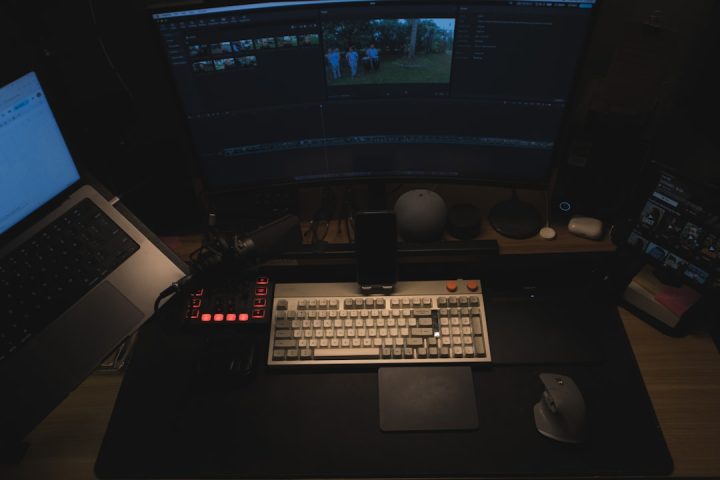
If you spend a lot of time at your computer, wrist pain can creep up like an uninvited guest. Before you know it, your favorite keyboard shortcut feels like torture. But guess what? You don’t have to live like that. Enter the world of ergonomic mice—your wrist’s new best friend.
TL;DR (Too long, didn’t read)
An ergonomic mouse is a great way to reduce wrist pain and prevent long-term injury. The right mouse keeps your wrist in a natural position and minimizes strain. Vertical mice, trackballs, and contoured designs are especially helpful. Pick one that fits your hand and working style to stay productive and pain-free.
Why Your Regular Mouse Might Be the Problem
Your trusty old mouse may look harmless, but it could be causing strain. Traditional mice force your wrist into an unnatural angle. Over time, this leads to pain and even carpal tunnel syndrome. That’s not fun at all.
So if your wrist feels tingly, stiff, or sore, it’s probably time for a change.
What Makes a Mouse Ergonomic?
An ergonomic mouse is designed to work with your body, not against it. It puts your hand in a more natural, handshake-like position. This reduces muscle activity and relieves pressure from your wrist and fingers.
There are a few types to choose from:
- Vertical mice – Your hand stays in a handshake position.
- Trackball mice – You move a ball with your fingers instead of the whole mouse.
- Contoured or sculpted mice – Fit the natural curve of your hand for extra comfort.


Top 5 Best Ergonomic Mice for Wrist Pain
1. Logitech MX Vertical
This one tops our list for a reason. It’s sleek, powerful, and super comfortable.
- Vertical design for a natural grip
- Rechargeable battery with USB-C charging
- Supports Bluetooth and USB receiver
It may take a day or two to get used to, but your wrist will thank you forever.
2. Anker Ergonomic Vertical Mouse
On a budget? This is a great start to the world of ergonomic mice.
- Affordable and functional
- Textured grip for control and comfort
- Runs on AAA batteries
Perfect for students and office workers alike.
3. Logitech Trackman Marble
If you’re curious about trackballs, this gem is worth a try.
- Stationary body – move only your fingers
- Ambidextrous shape for lefties and righties
- Good for tight spaces
Once you go trackball, you might never go back.
4. Evoluent VerticalMouse 4
This one is a favorite among health professionals.
- Advanced ergonomic design
- Sized options for different hands
- Multiple customizable buttons
It’s a little pricey but worth every penny if you suffer from chronic wrist pain.
5. Microsoft Sculpt Ergonomic Mouse
This mouse is oddly shaped—but it works like magic.
- Curved to fit the palm perfectly
- Thumb scoop keeps your hand aligned
- Wireless and modern design
It’s got brains and beauty. What more could you want?
Tips for Choosing the Right Ergo Mouse
Picking the best ergonomic mouse involves more than just fancy features. Here’s what to consider:
- Hand size – Not all mice are one-size-fits-all. Some brands offer sizes.
- Grip style – Do you use palm, claw, or fingertip grip?
- Usage time – If you spend hours at your desk, invest wisely.
- Type of work – Designers may prefer precision. Writers may want comfort.
Don’t forget to check for compatibility with your operating system. Some buttons and features may not work on Mac or Linux without extra software.
Helpful Keyboard and Desk Adjustments
Even the best mouse won’t help if your entire workspace isn’t set up right.

Try these easy changes:
- Keep your mouse close to the keyboard.
- Use a desk with enough space.
- Check your chair height and posture.
- Consider a wrist rest.
A good setup eases pressure on your arms, shoulders, and wrists.
Bonus: Give Your Wrists a Break
Don’t just rely on gear—give those wrists some love!
Do these simple exercises throughout the day:
- Wrist rolls: Make circles with your wrists in both directions.
- Finger stretches: Spread fingers wide and hold for 10 seconds.
- Prayer stretch: Press palms together in front of chest and push down gently.
Regular breaks and stretches can prevent Repetitive Strain Injuries (RSIs).
Signs You Should Switch Your Mouse
You might think, “Well, I can work through the pain.” Don’t!
Here’s when it’s time for a change:
- You notice numbness or tingling in your fingers
- Your wrist gets sore after a few hours of work
- Your fingers feel stiff or weak
- You use your mouse more than 3–4 hours every day
Remember: early action = no surgery later. That’s a win.
Final Thoughts
An ergonomic mouse might look strange, but it can make a world of difference. Whether it’s vertical, trackball, or just molded to fit your hand, the right mouse can save you from serious wrist pain down the line.
A healthy wrist is a happy wrist! Invest in your comfort. Your hands do so much—don’t take them for granted!
The best time to fix your setup is now. Your future self will be typing thank-you notes with zero pain.